
What Are the Best Retro Gaming Accessories for Classic Consoles?
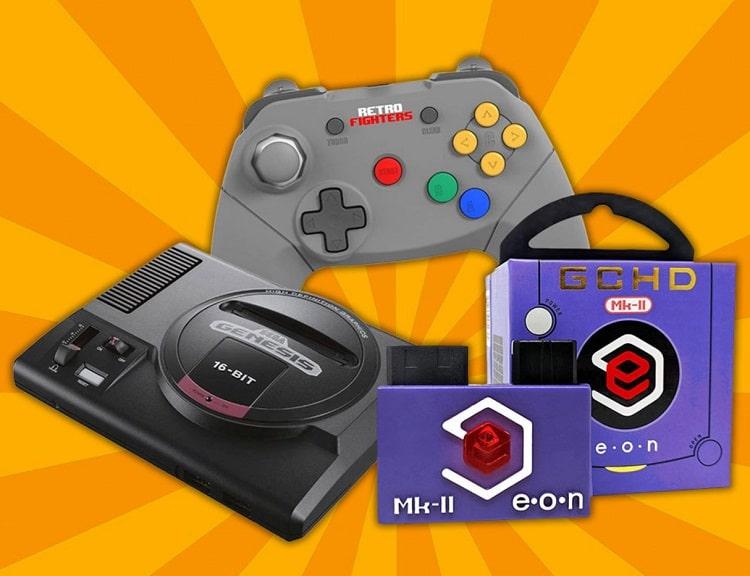
The best retro gaming accessories include wireless controllers, HDMI converters like the OSSC or RetroTINK, and custom RGB cables. You also need cleaning kits and flash carts to keep classic games running smoothly on modern 4K TVs without lag.
Do you miss blowing into game cartridges? Classic games are back in a big way. Playing on original hardware brings back great memories. But old consoles need a few upgrades to work well on modern screens.
You need the right retro gaming accessories to get the best picture and sound. This guide covers the top gear every classic gamer needs today.
How Do You Connect Retro Consoles to Modern Smart TVs?
You can connect retro consoles to modern TVs using low-latency HDMI adapters or dedicated upscalers. These devices convert analog yellow, white, and red signals into clear 1080p or 4K digital signals without input lag.
Old composite cables look blurry on sharp flat screens. Simple video converters help, but upscalers like the RetroTINK 4K add scanlines. Scanlines mimic the look of classic CRT monitors for a true arcade feel.
Upgraded RGB and Component cables give you sharper video and better colors. They feed clean signals directly into your upscaler.
Which Controllers Give the Best Retro Gaming Experience?
Wireless 2.4GHz controllers give you the best retro experience by eliminating cable tangle while keeping input lag close to zero. Third-party pads replicate classic buttons while adding rechargeable batteries and modern d-pads.
Original pads often have worn-out buttons or stiff cords. Modern Bluetooth and 2.4GHz pads let you play comfortably from your couch.
Fighting game fans should grab a desktop arcade stick. Heavy-duty arcade sticks bring authentic button layouts right into your home setup.
How Do You Maintain and Protect Classic Games and Consoles?
Clean cartridge contacts using 99% isopropyl alcohol and dedicated cleaning cards to prevent read errors. Protect your collection with UV-resistant acrylic cases and modern solid-state memory cards to save game progress safely.
Dirt and rust ruin old game pins over time. Proper cartridge cleaners remove grime without damaging electrical contacts. Never blow into your cartridges, because breath moisture causes rust.
Old save batteries inside cartridges eventually dry out and die. Modern flash memory cards and virtual memory adapters backup your saves forever.
You can also customize old consoles with clear replacement shells or custom paint. New faceplates give aged plastic a fresh, clean look.
How Can You Improve Audio Output on Retro Consoles?
Improve retro audio by routing optical SPDIF or RCA outputs through a digital-to-analog converter into desktop speakers. Modern soundbars clear up muddy audio signals produced by old console hardware.
Sound is a huge part of game nostalgia. Upgraded audio systems bring out chip tunes and sound effects with crisp detail.
If you enjoyed this post, you can discover similar deep dives by browsing all of our latest technology coverage.
Frequently Asked Questions
Why do retro games look blurry on modern TVs?
Modern TVs stretch low-resolution analog signals to fit high-definition screens. Using an HDMI upscaler fixes blurriness and reduces display lag.
Are third-party retro controllers as good as originals?
Yes, top third-party brands use low-latency 2.4GHz wireless tech and durable switches that match or beat original controllers.
How do I fix a game cartridge that will not load?
Clean the metal contacts using 99% isopropyl alcohol and a cotton swab. Avoid blowing into the cartridge.