

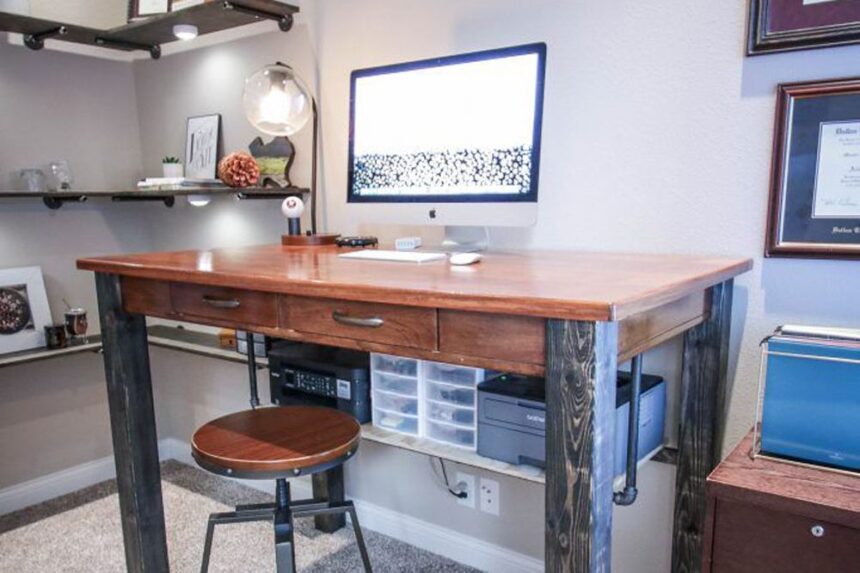
How to Build a DIY Standing Desk: Are you ready to change your workspace with a DIY standing desk?
Stop sitting all day long. A standing desk helps you stay moving, active, and focused while you work or study.
Building your own desk is easy, fun, and saves a lot of cash. This simple guide will show you how to make a custom desk in no time.
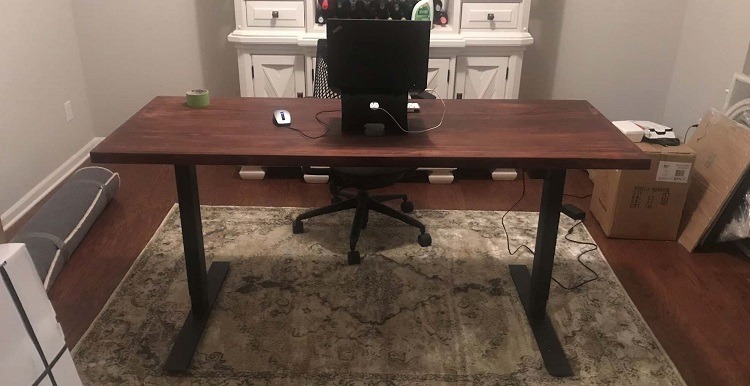
How to Build a DIY Standing Desk From Scratch
Making your own furniture sounds hard, but it is actually very simple. You do not need to be a professional builder to get great results.
Follow these basic steps to put together your new active workspace today.
Step 1: Gather Your Tools and Materials
First, collect everything you need. Having your supplies ready makes the build go much faster.
- A sturdy wooden board or tabletop (ideally around 24 inches deep and 48 inches wide)
- Four adjustable table legs or sturdy wooden blocks
- Screws or brackets
- Power drill or screwdriver
- Sandpaper
- Paint or wood stain (optional)
- Level
Step 2: Cut and Style Your Desktop
Measure your wood block carefully. Cut it down so it fits perfectly inside your room or office space.
You can paint the wood or add a neat wood stain. This gives your desk a cool, clean look that matches your style.
Step 3: Put the Pieces Together
Flip your wood board upside down on the floor. Place your adjustable legs or heavy wood blocks on the four corners.
Use your power drill to tighten the screws and brackets. Make sure everything is tight so the desk does not wobble.
Step 4: Sand Down Rough Spots
Feel the edges of your new desk. Use rough sandpaper to smooth out any sharp corners or splinter spots.
Sanding makes the wood safe and comfortable to rest your arms on while typing.
Step 5: Check the Height and Level
Flip the desk over onto its legs. Place your bubble level on top to make sure it is completely flat.
Stand next to it. Move the adjustable legs up or down until your elbows rest at a comfortable 90-degree angle.
Step 6: Add Fun Decorations
Now you can make the desk look awesome. Add cool stickers, fun tape, or bright colors to make it unique.
Step 7: Start Using Your New Desk
You are all done! Step back and enjoy your handmade project. You now have a healthy place to work.
What Are the Benefits of a Standing Desk?
Standing while you work has massive health benefits. It burns more calories than sitting and keeps your blood flowing smoothly.
Many people notice that standing stops their back and neck from aching after a long day of schoolwork or typing.
It also keeps your brain awake. You will likely feel a lot more energy and get your tasks done much faster.
Why You Should Build Your Own Standing Desk
Building your own desk is way better than buying a cheap generic one from a retail store.
- Saves Money: Store-bought standing desks cost a fortune. Buying raw wood and basic legs keeps your budget low.
- Total Control: You pick the exact width, depth, and height. It will fit into tight room corners perfectly.
- Custom Features: You can add hooks for your headphones, special shelves, or hidden holes to manage messy power cords.
- Easy Changes: As your needs change, you can easily swap out the legs or repaint the top down the road.
- Building Pride: Making something with your own two hands feels amazing. You will show it off to everyone who visits.
Building a DIY standing desk is a fun weekend project. It protects your body and gives you a cool space to create.
Ditch the old kitchen chair. Grab some tools and build an awesome custom workspace that keeps you moving today!
Frequently Asked Questions
How tall should a DIY standing desk be?
Your desk should match your elbow height. When standing straight, your elbows should bend at a 90-degree angle to type comfortably without straining your shoulders.
What is the cheapest way to make a standing desk?
The cheapest method is using a solid wood board from a local hardware store and screwing it onto fixed wooden blocks or basic metal pipes.
Can I turn my regular desk into a standing desk?
Yes. You can place a small table, a set of sturdy shelves, or a specialized lifting riser right on top of your current desktop.
Related: Exploring What Makes FOX Shocks Special for Your Car
Related: How To Create Auto YouTube Channel Subscribe Button Pop-up Link